The Best App To Track GLP-1 Injection Side Effects In 2026: What To Use And How To Log Symptoms That Matter






If you're on semaglutide or tirzepatide, you've probably noticed something quickly: side effects don't show up on a neat schedule. One week you feel fine, the next you're nauseated after three bites, constipated for days, or inexplicably wiped out the morning after your injection.
That's why the "best app to track GLP-1 injections side effects" isn't just the one with the prettiest interface. It's the one that helps you capture the handful of signals that actually predict tolerability: what changed (dose, timing, site), what your body did (GI symptoms, hydration, appetite), and what might be confusing the picture (travel, alcohol, high-fat meals, new supplements).
Below, you'll get a clinician-style framework for what to log, what features matter most, and which apps stand out in 2026, including GLP-1-focused options like Regimen and Shotsy. The goal isn't perfection. It's a clean, shareable record that helps you and your prescriber make safer, faster decisions.
What You Should Track On GLP-1s (So Your Log Actually Helps)
Most people start tracking with good intentions, then quit because the log takes too long or doesn't feel useful. The fix is to track fewer things, more consistently.
Think of your GLP-1 side-effect log as a clinical "signal detector." You're looking for patterns that reliably show up around injection day, dose increases, certain meals, or hydration/fiber changes.
GI Symptoms, Appetite, And Hydration Signals
GLP-1 receptor agonists slow gastric emptying (food leaves your stomach more slowly). That's part of how they reduce appetite, but it also explains why nausea, bloating, reflux, early fullness, and constipation are so common.
Log these daily (quick scales work best):
- Nausea (0–10)
- Vomiting episodes (yes/no, how many)
- Reflux/heartburn (0–10)
- Bloating or abdominal pressure (0–10)
- Constipation (days since bowel movement, stool consistency if you track it)
- Diarrhea (yes/no, how many episodes)
- Appetite (very low / normal / high) and "food noise" (how distracting cravings feel)
- Hydration signals: water intake estimate, dry mouth, dizziness on standing, darker urine
- Protein intake estimate (rough is fine): low / medium / high
If you've ever had a "why am I so nauseated today?" moment, hydration and meal composition are often the missing context. A simple note like "low water + high-fat dinner" is surprisingly informative.
Injection Details: Dose, Site, Timing, And Missed Doses
When side effects fluctuate, dosing details often explain the "mystery." Log:
- Medication name and dose (including any microdosing plan)
- Date and time of injection
- Injection site (abdomen, thigh, upper arm) and exact area if you rotate
- Missed, delayed, or early doses (and why)
- If applicable: reconstitution details for compounded products (concentration and units)
A practical tip: choose an app that lets you track injection sites visually or via a body map. It makes rotation more consistent and helps you notice if one site seems to correlate with fewer side effects.
Red-Flag Symptoms You Should Record Immediately
Most GLP-1 side effects are manageable, but some symptoms should move from "annoying" to "document and call" territory, especially if they're escalating.
Record promptly if you have:
- Persistent vomiting or inability to keep fluids down
- Signs of dehydration: lightheadedness, fainting, very dark urine, rapid heart rate
- Severe or worsening abdominal pain (especially if it doesn't feel like typical bloating)
- Severe headache with dehydration symptoms
- Allergic-type reactions (hives, swelling, trouble breathing)
Your app isn't replacing medical care. But a time-stamped log of what happened, when it started, and what you'd eaten or taken can be extremely helpful for your prescriber.
What Makes An App “Best” For GLP-1 Side-Effect Tracking
The best tracking app is the one you'll actually use on your hardest day, not your best day. In practice, that means fast entry, meaningful trend views, and easy sharing.
Fast Daily Check-Ins And Custom Symptom Lists
Look for:
- One-tap check-ins (sliders, quick buttons)
- The ability to build a custom symptom list (so you're not stuck with irrelevant fields)
- Reminders that are flexible (and not annoying)
GLP-1 side effects are personal. One person's main issue is constipation: another's is nausea: another's is fatigue and low protein intake. Customization is the difference between a log that feels tailored and one you abandon.
Trends Over Time: Charts, Baselines, And Weekly Summaries
Daily notes are useful, but trends are what change care.
Prioritize apps that can show:
- Symptom intensity over time (especially around injection day)
- Weekly summaries (so you can spot patterns without reading every note)
- Baselines and "before vs after" when you change a dose, fiber intake, or meal pattern
- Correlations (example: nausea spikes on dose day plus the day after, or constipation worsens when water is low)
In 2026, Regimen stands out here because it offers correlation-style views and injection details without forcing you into a heavy subscription for core features.
Shareable Reports For Clinicians And Care Teams
If your prescriber is adjusting dosing, managing side effects, or troubleshooting slow weight loss, a clean report helps.
The best apps can:
- Export a PDF or CSV
- Summarize your week (dose, symptoms, bowel habits, appetite)
- Clearly show timing relative to injections
You're aiming for "clinician-readable" in under two minutes.
Privacy, Data Export, And Device Compatibility
Health data is personal. Before you commit, check:
- Whether your data is stored locally, in iCloud, or on the company's servers
- Whether you can export your data any time
- Whether it integrates with Apple Health, Google Health Connect, or wearables
- Whether key features sit behind a paywall
A simple rule: if an app won't let you export your own logs, it's not a great long-term home for your tracking.
Top App Options (And Who Each Is Best For)
There isn't one perfect app for everyone. Below are strong options in 2026, organized by what you're primarily trying to track.
Medication Tracking Apps With Dose Reminders And Logs
If your biggest risk is missed doses, inconsistent timing, or unclear injection history, start here.
- Regimen: A strong all-in-one option, especially if you want GLP-1-specific tracking (dose timing, injection site tracking, and trend-style views). It's widely liked for offering robust tools without locking essentials behind a subscription.
- Shotsy: Popular for GLP-1 tracking and visualization, with strong user adoption and high ratings in 2026. It's often chosen by people who want medication-level views and a more established GLP-1 tracking workflow, though some features may require a subscription.
- CareClinic: Useful if you want a broader "meds plus symptoms" approach, including reminders and body-map style logging.
Best for: people early in treatment, anyone changing doses, or anyone who needs reliable reminders.
Symptom Tracker Apps Built For Daily Health Journaling
If your main goal is symptom clarity (not just injection reminders), journaling-style trackers can feel smoother.
- MeAgain: Often used by people who want to connect symptoms to nutrition and hydration, with quick logging for GI issues and appetite changes. It's especially helpful if your side effects fluctuate with what and how much you eat.
Best for: people whose side effects feel "random," those balancing nausea and low appetite, and anyone trying to get enough protein and fluids.
Food, Gut, And Trigger Tracking Apps For Nausea, Bloating, And Constipation
If constipation, bloating, or nausea is the main issue, food-trigger context can be the missing link.
Look for apps that let you tag:
- Meal size (small/medium/large)
- Fat content (higher-fat meals can worsen nausea for some people)
- Fiber changes (a sudden jump can increase gas and bloating)
- Alcohol
- Carbonated beverages
- Late-night eating
Also consider whether the app can handle low FODMAP-style notes if you're sensitive to fermentable carbs (often relevant for IBS-type symptoms).
Best for: sensitive stomachs, IBS history, constipation-prone users, or anyone troubleshooting nausea and bloating.
Wearable-Connected Apps For Sleep, HRV, And Activity Clues
Wearables don't measure nausea. But they can capture the "supporting signals" that matter: sleep disruption, low activity, elevated resting heart rate, or changes in HRV (heart rate variability, a stress-recovery metric).
Wearable-linked tracking is helpful if:
- fatigue is your main complaint
- you suspect dehydration (sometimes reflected in higher heart rate)
- sleep changes track with dose day
Best for: people who feel wiped out, people in perimenopause/menopause with sleep disruption, and those who want objective context alongside symptoms.
How To Set Up Your GLP-1 Side-Effect Tracker In 15 Minutes
You don't need a perfect system. You need a system you'll keep using.
Here's a simple setup that tends to work well clinically: one daily check-in, a dose-day check-in, and a small set of tags.
Create A Minimal Daily Template You'll Actually Keep Using
Start with 6 fields. Seriously.
Daily (takes 60 seconds):
- Nausea (0–10)
- Constipation (0 = no issue, 1 = mild, 2 = moderate, 3 = severe, plus "days since BM")
- Bloating/reflux (0–10)
- Appetite (low/normal/high)
- Water intake estimate (low/ok/high)
- Protein intake estimate (low/ok/high)
Dose day (add these):
- Dose amount
- Injection time
- Injection site
If your app supports it, add a notes field with a prompt like: "Anything unusual today?" Most days you'll write nothing. On the days you do, it'll matter.
Add Menopause-Related Factors: Cycle Status, Hot Flashes, Sleep, And Stress
If you're in perimenopause or menopause, side effects can be harder to interpret without hormone-context.
Add 3–4 optional fields:
- Cycle status (regular/irregular/postmenopause)
- Hot flashes/night sweats (0–10)
- Sleep quality (0–10)
- Stress level (0–10)
Why this helps: poor sleep and higher stress can worsen GI sensitivity, increase cravings, and make fatigue feel like a medication side effect when it's partly physiologic overload.
Build Smart Tags For Common Patterns (Dose Day, Travel, Alcohol, High-Fat Meals)
Tags are your shortcut to pattern recognition.
Use a small, repeatable set:
- Dose day / day after dose
- Travel
- Alcohol
- High-fat meal
- Large meal
- Low water
- High fiber change
- New supplement
When your app can filter symptoms by tags, you can answer practical questions fast, like "Is my nausea mostly day-after-dose?" or "Do high-fat meals reliably trigger reflux now?"
If you want a simple standard: tag anything you'd mention to a clinician as "different than usual."
How To Interpret Your Data And Know When To Adjust Your Plan
Tracking is only useful if it changes what you do next. Your job is to look for repeatable patterns, not one-off bad days.
Spot The Most Common Patterns (Dose Escalation, Meal Size, Hydration, Fiber)
Common patterns people see on GLP-1 therapy:
- Dose escalation effect: symptoms flare for 24–72 hours after a dose increase, then settle
- Meal size sensitivity: nausea or reflux follows larger meals, even if the food is "healthy"
- Hydration-constipation loop: lower fluid intake correlates with constipation and headache
- Fiber timing effect: too little fiber worsens constipation: too much too fast worsens gas/bloating
If an app offers weekly summaries, review them on the same day each week (many people choose the day before injection day). You'll start seeing trends you'd miss in the moment.
Use Your Log To Guide Food Choices Without Over-Restricting
When you feel sick, it's tempting to eliminate everything. That can backfire, especially because GLP-1s already reduce intake and can make meeting protein and micronutrient needs harder.
Use your log to make targeted adjustments instead of broad restrictions:
- If nausea tracks with large meals, experiment with smaller portions and slower eating rather than cutting entire food groups.
- If reflux tracks with late meals, adjust meal timing first.
- If constipation tracks with low water and low fiber days, prioritize consistency over extremes.
The aim is "tolerable and nourished," not "perfectly clean."
When To Contact Your Prescriber Based On Trends And Severity
Contact your prescriber when symptoms are persistent, escalating, or interfering with hydration and nutrition.
Examples of trend-based reasons to reach out:
- Nausea is moderate-to-severe for multiple days each week or worsens with each injection
- You're repeatedly unable to meet hydration needs or keep fluids down
- Constipation becomes prolonged, painful, or is accompanied by significant abdominal pain
- You're losing weight rapidly while struggling to eat protein consistently
- Symptoms change abruptly after a dose increase or product change (including compounded formulations)
Bring a report, not just a memory. A clean log helps your clinician consider options like slower titration, timing adjustments, nutrition support, or evaluating other causes.
Common Tracking Mistakes That Hide The Real Trigger
Most tracking failures aren't about willpower. They're about designing a system that's too complicated to survive real life.
Logging Too Many Metrics And Burning Out
If you try to track 25 things a day, you'll last four days.
Start minimal, then add only what proves useful. A good rule: if you haven't looked at a metric in two weeks, stop tracking it.
Consistency beats detail.
Ignoring Confounders: Supplements, Protein Shakes, Magnesium, And New Meds
A confounder is anything that can mimic or worsen GLP-1 side effects.
Common examples:
- New supplements (especially magnesium forms that can loosen stools)
- Protein shakes or bars (some sweeteners and sugar alcohols can cause bloating/diarrhea)
- Iron (can worsen constipation)
- Antibiotics, NSAIDs, or other new medications
- Sudden changes in caffeine
If you add something new, tag it for a week. That alone can save you from blaming the GLP-1 for a supplement-related issue.
Not Distinguishing Side Effects From Illness Or Foodborne Symptoms
Not every episode of nausea is "the shot." Viral illness, foodborne exposure, and stress can all look similar.
Use tags like:
- Sick contacts
- Fever/chills
- Suspect food exposure
And note timing: sudden onset with diarrhea and cramping after a shared meal points you in a different direction than predictable day-after-dose nausea.
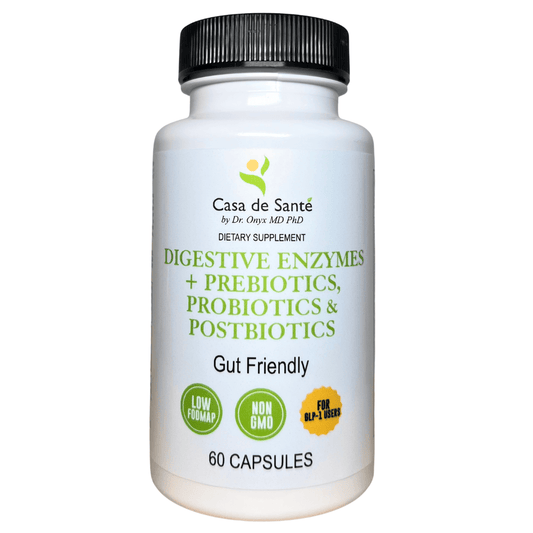
Digestive discomfort is one of the most common reasons people struggle with GLP-1 medications. Targeted nutrition support can make a real difference in tolerability. Casa de Sante's physician-formulated digestive enzymes, synbiotics, and motility support supplements are designed specifically for sensitive stomachs on GLP-1 therapy. See what's available at casadesante.com.
This article is for educational purposes only and is not medical advice. Always consult your healthcare provider before making changes to your treatment plan.
Conclusion
The best app to track GLP-1 injection side effects is the one that makes your symptoms easier to understand and easier to communicate. In 2026, GLP-1-specific tools like Regimen and established options like Shotsy can be great choices, but the real differentiator is your setup: a minimal daily template, consistent injection logging, and a few smart tags that reveal patterns.
If you take one idea from this: track less, but track what matters. Dose details, GI symptoms, hydration, bowel habits, and a short list of confounders will usually tell the story faster than any complicated system.
And when something feels off, don't try to white-knuckle it alone. A clear log helps your prescriber troubleshoot safely and keeps you focused on the point of GLP-1 therapy in the first place: better metabolic health with tolerable day-to-day living.
Best Apps to Track GLP-1 Injection Side Effects: Frequently Asked Questions
What are the key symptoms to track when monitoring GLP-1 injection side effects?
Track gastrointestinal symptoms like nausea, vomiting, reflux, bloating, constipation, diarrhea, along with appetite changes and hydration signals such as water intake and dry mouth. Logging these helps identify patterns for better symptom management.
Which apps are recommended for tracking GLP-1 injection side effects in 2026?
Top apps include Regimen, offering free, comprehensive features like injection site tracking and correlation charts; Shotsy, known for its medication-level views and popular user base; and MeAgain, ideal for nutrition and symptom pattern recognition.
How can I set up an effective GLP-1 side-effect tracking system quickly?
Create a minimal daily template including nausea and constipation scales, bloating, appetite, water and protein intake, plus dose details on injection days. Add tags for dose day, high-fat meals, alcohol, and stress to spot meaningful patterns efficiently.
Why is tracking injection site and timing important for GLP-1 side effects?
Variation in injection site and timing can affect side effect severity. Visual tracking ensures consistent rotation, helping identify if certain sites cause fewer symptoms, making your log a valuable tool for managing tolerability.
How do I know when to contact my healthcare provider based on my GLP-1 side-effect log?
Reach out if nausea or other symptoms are moderate-to-severe for several days, hydration is compromised, constipation is painful or prolonged, or side effects worsen after dose changes. Sharing a clear symptom report aids your provider's decisions.
Can tracking apps integrate with wearable devices to enhance side-effect monitoring?
Yes. Some apps sync with wearables to monitor supporting signals like sleep quality, heart rate variability, and activity levels, which help understand fatigue and dehydration related to GLP-1 therapy.